

On the lookout for ways to reduce our monthly expenses, my dove and I naturally turned our attention to the Cable TV bill, which at the time hovered somewhere north of $200 a month.
First to go was the hardware we’d foolishly been renting from the cable company for god only knows how long.
We replaced the $25-a-month Wi-Fi router with this one, which would pay for itself in eight months. (The Wi-Fi router was not technically part of the Cable TV service we were dumping, but it was an unnecessary expense. )
When we were confident the new router was working, we returned the three $5-a-month cable boxes. Coincidentally, this also eliminated the $10-a-month we’d been paying for a local Digital Video Recorder.
Replacing the Cables with Roku Streaming Sticks
Now that the familiar cable boxes were gone, we needed a new way to get video to our TVs. Enter Roku.
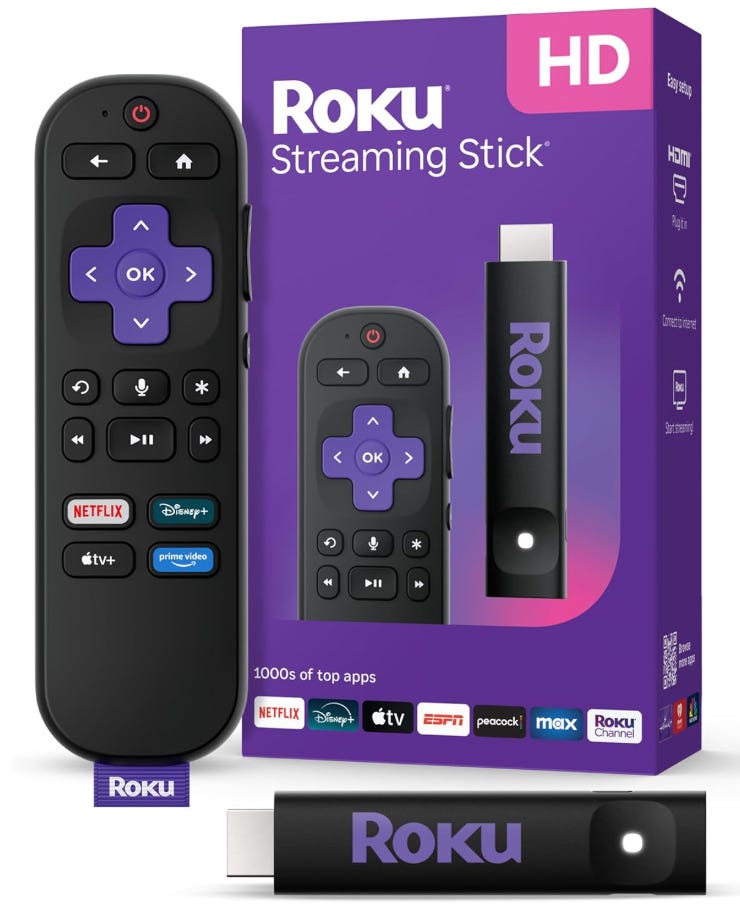
As you can see, Roku sticks look like long USB drives, but they plug into one of the HDMI ports on the back of your TV. The sticks stream TV content over your Wi-Fi network just as phones, tablets, computers, and other modern devices do.
When you watch a YouTube video, you’re streaming. Streaming just means your video begins playing before it’s been completely downloaded. The downloading and the playing happen together, with the downloading (hopefully) staying ahead of the playback.
Incidentally, the “stream” is not actually a constant stream like a river, but a collection of discrete blocks each containing a few seconds of digital video. Because of the way the Internet works, the blocks are not guaranteed to arrive in order, so they are marked with the time, which allows the Roku device to play them in order.
We hadn’t bought a new TV in so long that none of our old TVs were smart. That is, they did not have the built-in ability to stream content from the Internet. Had they been smart TVs, of course, we would not have needed to make them smart with Roku. We could have simply used the streaming capabilities they already had.
A Little More About Roku
Roku devices were released in 2008, about five years before TV makers also saw the future and made smart TVs ubiquitous.
Not that you should care, but it is said that the founder of Roku, Anthony Wood, chose the name because Roku means “six” in Japanese, and Roku was his sixth company. (Despite this apparent failure of imagination, Tony’s a billionaire a few times over now.)
Although Roku is the most popular streaming platform, it’s not your only choice. Also available are Amazon Fire TV, Google TV/Android TV, Apple TV, and others created by the TV manufacturers themselves, like Samsung TV Plus. If you already use a lot of Amazon tech in your house, Fire TV might be the best choice for you, ditto for Apple and Google. Beyond that, here’s a video comparing the alternatives.
If you doubt streaming TV is more popular than cable TV, know there simply are no “non-smart” TVs left in the consumer market. If you buy a TV today, it will be able to connect to your Wi-Fi network and stream content right away, using whatever flavor of streaming software it has.
Also be aware that you’re not locked in to using the streaming software that comes with a particular TV. We recently bought an Insignia 4K Fire TV from Best Buy because it was cheaper than the same TV with Roku pre-installed — even after we connected a Roku 4K stick to it for the sake of consistency.
As a bonus, we get to play around with Fire TV if we like.
Using Roku on all our TVs makes things easier beyond just having the same look and feel on every TV. For one thing, when we install an app on any one of the Roku sticks, it automatically appears on all the other Rokus. Even more important, when we buy and install a premium channel like Netflix, it is available on them all right away.
Not to get too far into the weeds, it is important to note that all of our Roku sticks share a single Roku account, which is the recommended way of doing it. Using different account logins on each Roku separates them logically. This means apps you add — Zeam, say — will appear only on Rokus logged in with the same account as the Roku used to add the app.
I hope they allow multiple viewer profiles in the future, so that favorites and in-progress lists and such can be tied to individual viewers as it is for many streaming providers, like Peacock, Netflix, and so on. You tell those apps who’s watching — mom, dad, sis, etc — and that person’s individual environment is used.
Here’s a YouTube video about the Roku stick.
A basic Roku stick costs about $30, but they’re often on sale. I got a 4K one for $19 on Black Friday.
Our Savings So Far
In summary, we spent about $290 to reduce our monthly expenses by $50 a month. (We only count Roku sticks here that replaced the three cable boxes.)
Initial Cost:
$200 for a Wi-Fi router, estimated.
$90 for three Roku sticks to replace 3 cable boxes
Monthly Savings:
$15 for three cable boxes
$10 for in-home DVR
$25 Wi-Fi router
A Few More Details, a Couple Nits
The tiny computer that is the brains of Roku is powered by a USB connection. Sadly, the USB ports on many TVs may not offer enough power. Worse yet, a port may offer just enough power, so that Roku only complains now and then. I just plug my Rokus into a UPS outlet using a USB power brick. (Neither supplied.)
By the way, the Roku’s tiny computer uses the ubiquitous open-source Linux operating kernel, then adds code that enables it to stream video over Wi-Fi. This means, of course, that the Roku stick must be logged in to the Wi-Fi router.
You can connect each Roku stick to your Wi-Fi router using the Roku software itself, but you’ll find using the Roku smartphone app (just get it in the app store as usual) makes connecting new Rokus to your Wi-Fi easier because your phone, which presumably is connected to the Wi-Fi, sends your Wi-Fi password to Roku via a Bluetooth Low Energy connection. (I’ve never heard of Bluetooth Low Energy.)
Using the Roku device itself to log in requires that you use the Roku controller and a pick-one-character-at-a-time system to do it, which requires patience.
Finally, more expensive Roku sticks have better CPUs and more memory, and so are reportedly faster. Even better, the apps that run on them are less likely to run into problems. I have found the least expensive Roku HD sticks (which I use) occasionally send me back to the main menu unexpectedly. I assume because the running app crashed.
In all fairness, it hasn’t happened that often. We’ve been doing fine with the cheaper sticks.
The Roku Channel
The preinstalled Roku Channel app includes a vast array of streams, both free and premium. It is available online if you want to see what you’ve been missing.

Note that some streaming channels use SCTE-35 markers to place ads in creator-designated slots, but others behave more like YouTube, inserting ads randomly, often at inopportune times.
The Big Move: Cancelling the Cable TV Channels
At this point, we’d replaced our cable TV boxes with Roku sticks, but we had not cancelled the cable company’s channel offerings. This meant we were still able to view all of the cable channels on the Rokus by using the cable company’s Stream app on the Roku, which we used just like any other Roku app.
My simmering disdain for the cable company was redoubled when the scales fell from my eyes and I discovered that they bulk up their channel offerings with dozens of channels available for free elsewhere. Even worse, I discovered there are many, many more of these free channels that Cable TV does not offer, because Cable TV is old technology that just can’t handle the load.
Get rid of Cable TV. It’s antiquated. Like tube TVs. I was dumb to wait so long.
The cable company’s Stream offerings were costing us more than $100 a month, but to cancel it comfortably we’d need a way to get local network broadcasts: NBC, ABC, CBS, and so on. The alternative was to pay for a streaming service that included the locals — YouTube TV, Sling, DirecTV and so on — but they were almost as pricey as the cable company’s Stream.
Everything Old is New Again
The solution was an antenna. With an antenna, we could watch Over The Air (OTA) TV, where all the local networks had been all along, hiding in plain sight. Just like in the old days.
Until around 1975, “over the air” was the only way you could watch television, whether you had simple rabbit ears or a big metal EM wave catcher mounted atop an aluminum pole taller than your house.
Back in those days, OTA TV was analog, which means the electromagnetic wave being broadcast was only able to carry a single channel for video. (Audio went out over a concurrent FM signal.)
Today, OTA TV is digital. That means the same radio wave is used to encode 0s and 1s. It does this by detecting changes in the amplitude of the wave, which is divided into eight segments, each segment encoding three bits of data.
Digital OTA also uses compression. Only changes from one video frame to another are communicated. This compression naturally works less well when the video has a lot of movement: a field of wheat in a breeze or an action-packed sports event.
After no small amount of experimentation, I discovered I was able to get all the local network stations and a lot more on a little indoor “rabbit ears” antenna.
Long gone are the days of NBC, CBS, ABC, PBS, and some grainy UHF stations showing preachers and old horror films. Now the air also carried Grit and ION and Comet and Oxygen True Crime and a new favorite called Story and several other of these “secondary channels.”

Alas, because I had connected the little antenna directly to the TV in the bedroom, I had to watch the TV there if I wanted to watch OTA channels.
On top of that, I had to use the TV’s native controller to switch the TV’s input source away from the Roku device on HDMI-1 and over to cable/antenna. And then back again. This was less than convenient, and could never be more than a curiosity.
Even worse, I was later to discover that the absolute best location for the little antenna was in the middle of the house, where it had views of both south-facing and north-facing windows.
The position of an indoor antenna is critical. Moving the antenna even one inch can affect its effectiveness. Thus, an antenna needs to be positioned precisely where it works best, which is most often not near a TV, despite the fact that that’s where it’s shown in so many marketing photos. Rural viewers often must use outdoor antennas positioned as high as possible, as in the olden days. See the Antenna Man for more.
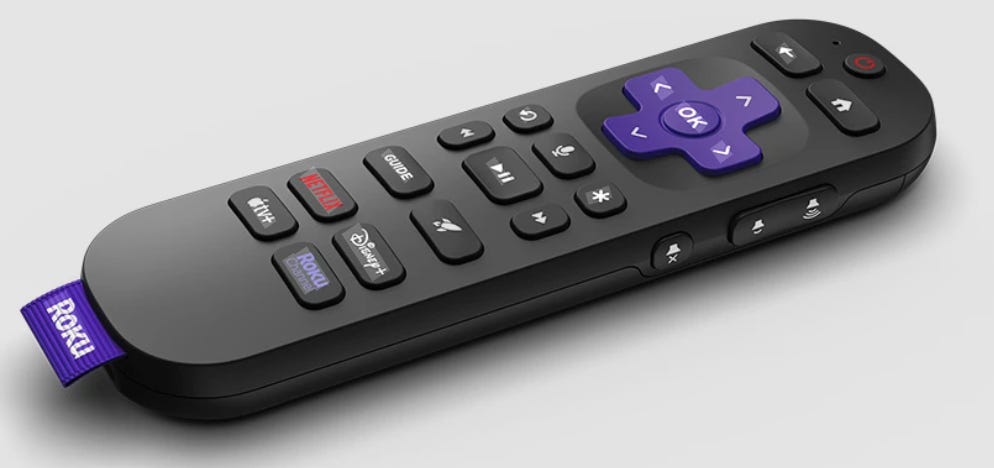
One of the advantages of being late to the cord cutting party is that the trailblazers up ahead already had encountered and solved the antenna issue.
Tablo is a device that tunes into channels delivered by an antenna (it contains TV tuners) and sends the signal via Wi-Fi to other devices capable of running the Tablo app, which of course includes Rokus. (But, sadly, not PCs.)
Critically, Tablo lets you record OTA TV and most FAST channels, too. It comes with enough storage to handle 50 hours or so, and you can also connect a separate storage device to get more room.
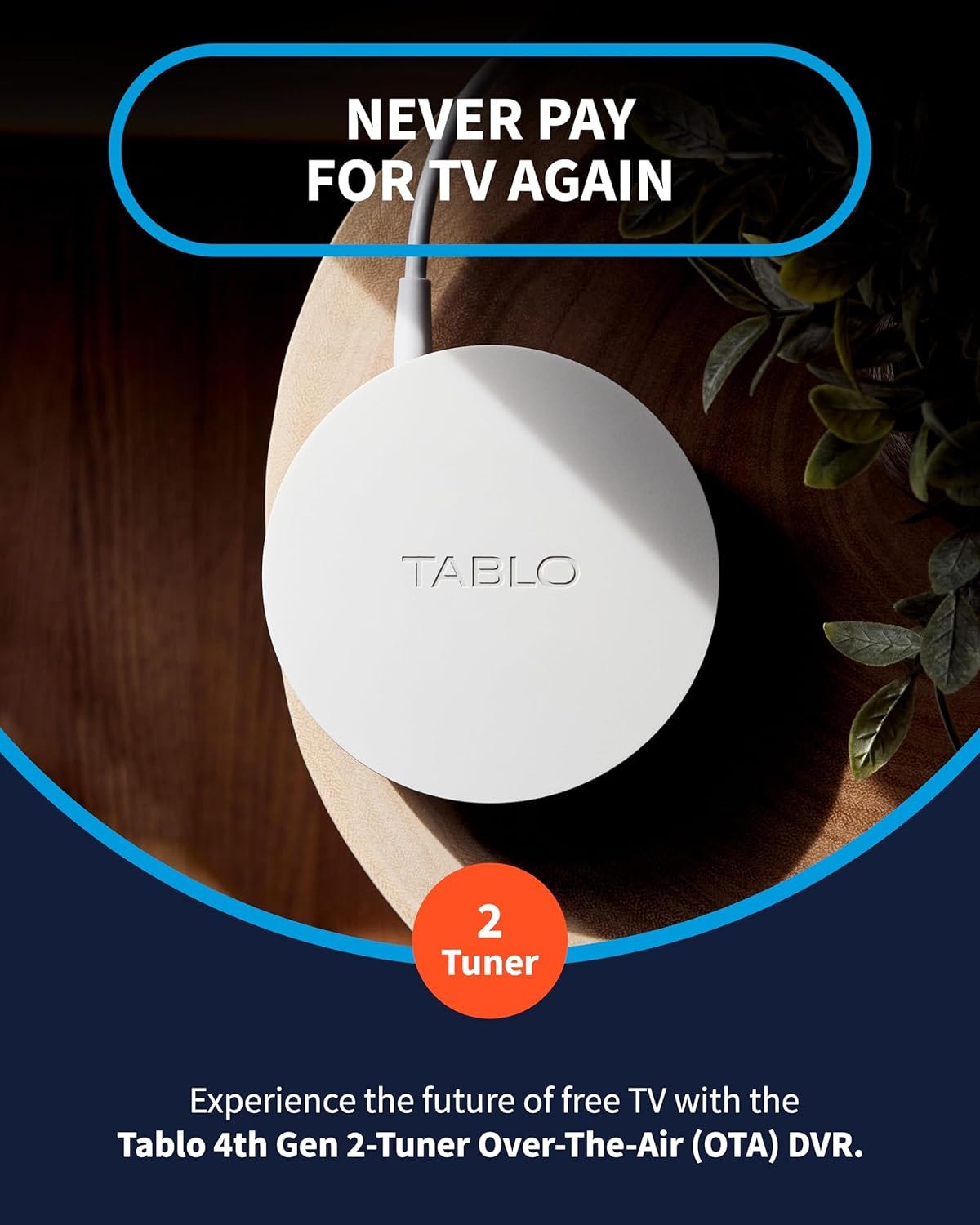
The Tablo contains two TV tuners in the budget model, four tuners in the more expensive one. The number of tuners restricts how many channels you can watch or record at the same time. You can watch the same channel on more than one TV atg the same time.
To watch OTA TV, we select the Tablo app in the Roku main menu just as we do any other app. The Tablo app then displays a listing of both OTA channels and the free streaming channels it provides.
Note that you can record a show and watch it at the same time using only one tuner. This is actually the preferred way of using Tablo, which can clean up a video before recording it, so watching a recording will be better than real-time TV.
Free at Last
Now that we were able to get local stations with an antenna, we were eager to cancel the cable company’s Stream service, which was costing more than $100 a month.
I lost some channels — ESPN, MSNOW, CNN, and others — but I am discovering I can do without them. When Monday Night Football is only on ESPN and not ABC, I find a good book instead.
In the end, the best thing about cutting the cord turned out not to be the money saved, but that the change revealed to us a new universe of TV. Johnny Carson has his own channel, for God’s sake. Ed Sullivan, too. Carol Burnett. Dick Van Dyke. And on and on and on. Hogan’s Heroes. Bonanza. Death Valley Days. Shall I go on?
Last night I watched The Aristocrats. There is a God.
One Last Thing
To save a little more, we reduced our Internet speed from 1 Gbps to 300 Mbps after realizing that being an gigillionaire was about as smart as being a high roller down at the casino. Maybe gamers need the speed, or someone like my guitar-playing friend, who somehow plays along with others over the Internet. But two people streaming video? Even 300 Mbps is overkill. An HD stream uses 10 Mbps. About 30 for 4K video.
Another thing: Don’t forget your local library. They probably offer free access to Hoopla or some other streaming platform where you can stream movies for free, plus much more. (There’s a Hoopla app on Roku.) You need a library card, of course. You can probably get one online.
Finally, here is a list of the larger aggregators of free, ad-supported television (FAST) services in the U.S. Note that each of these are available on the Internet, so you can check them out on a PC or tablet or phone without bothering with a streaming stick.
At Home (Fandango), https://athome.fandango.com/
Rotating ad-supported movies and TV. (NBCUniversal)DistroTV, https://www.distro.tv
Niche channels and on-demand content. (DistroScale, owner Navdeep Saini)Fawesome TV, https://fawesome.tv/
Movies, TV, genre-based channels. (Future Today)FilmRise, https://filmrise.com/
A large library of free, ad-supported films and TV shows including cult classics and older network content. (Oaktree Capital Management)iFoodTV, https://ifood.tv/
Offers an extensive list of cooking shows, including many you’ve never heard of. Also categorizes shows by equipment type, like air fryer, grill, crock pot, casseroles, oven, skillet, etc. Also has YouTube videos and a fun “food in movies” category. (Future Today, the same company that owns Fawesome.)Haystack News, http://haystack.tv/
A customizable, free streaming news service pulling local, national, and international news from many providers. Just let it run. (Independent)KlowdTV, https://klowdtv.com/
Live TV, news, lifestyle, “specialty” programming. (Herring Networks, the company behind the delightfully right-wing One America News, or OAN).LocalNow, https://www.localnow.com/
A Weather Channel–affiliated free service offering local news, weather, and a wide mix of FAST channels. (Allen Media Group)MyFree DIRECTV, https://www.directv.com/free
DIRECTV’s free tier offering live channels and select on-demand programming with ads. (TPG Capital, a private equity firm)Plex (Live TV), https://www.plex.tv/
A media app that includes hundreds of free FAST channels and on-demand movies in addition to personal media support. (Independent)Pluto TV, https://pluto.tv/
One of the largest FAST services, offering hundreds of free genre-based channels and a huge on-demand library. (Paramount.)Scripps News, https://scrippsnews.com/
Sling Freestream, https://www.sling.com/freestream
Sling’s free tier with hundreds of FAST channels and a rotating selection of on-demand titles. (Dish Network)STIRR, https://stirr.com/
Sinclair’s free service with local news, syndicated TV, and a mix of themed live channels. (Formerly Sinclair, now Thinking Media Inc.)The Roku Channel, https://therokuchannel.roku.com/
Roku’s major FAST service with live channels, on-demand movies and shows, and Roku Originals.Tubi, https://tubitv.com/
Fox-owned free service with a huge on-demand library and a growing selection of FAST channels. Great Chefs series. (Fox)Xumo Play, https://www.xumo.com/
A joint Comcast/Charter FAST service with live streaming channels and on-demand movies and shows. (Comcast/Charter)
In Summary: Welcome to the Future
Cable TV is an overpriced old technology that limits what its users can watch. Because of that, it’s destined to die. Only uniformed old people like me still buy cable TV.
So do yourself a favor and cut the cord. You’ll save money and get better TV in the bargain.
And shoving it to the cable company feels oh so good.
— 30 —